When machines are connected, their status can be checked without going on site. For most operators, this becomes necessary as the number of locations increases.
Machines send technical and operational data through IoT connectivity. This data shows whether the machine is running, whether there are errors, and whether something needs attention. Without software to manage it, the amount of information quickly becomes difficult to follow.
Vendon Cloud is used as a vending management system to collect this data in one place. It works with machines from different manufacturers and supports operators who run mixed fleets. This includes hot drink vending machines, snack and food vending machines, and table-top coffee machines.
Issue monitoring
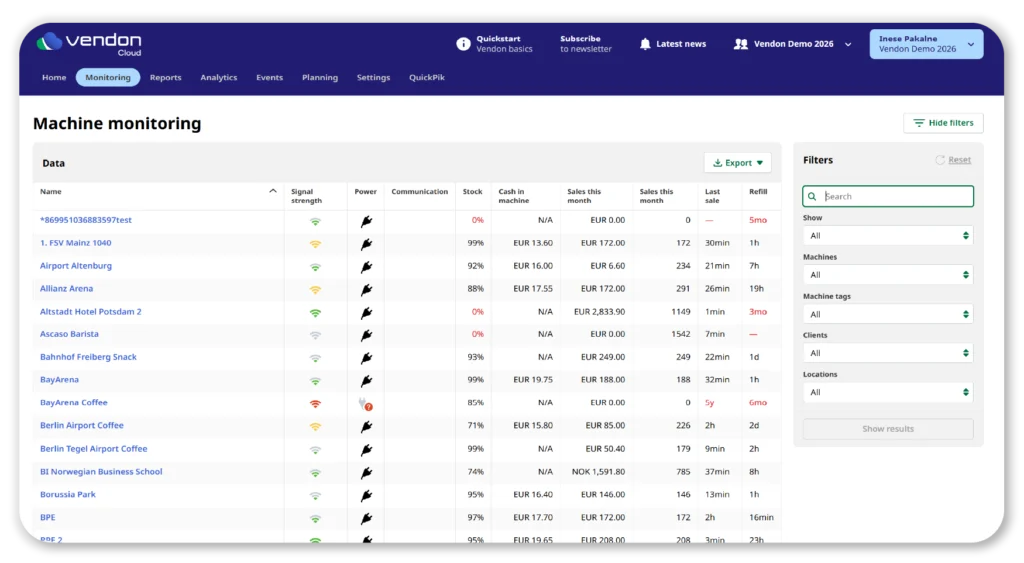
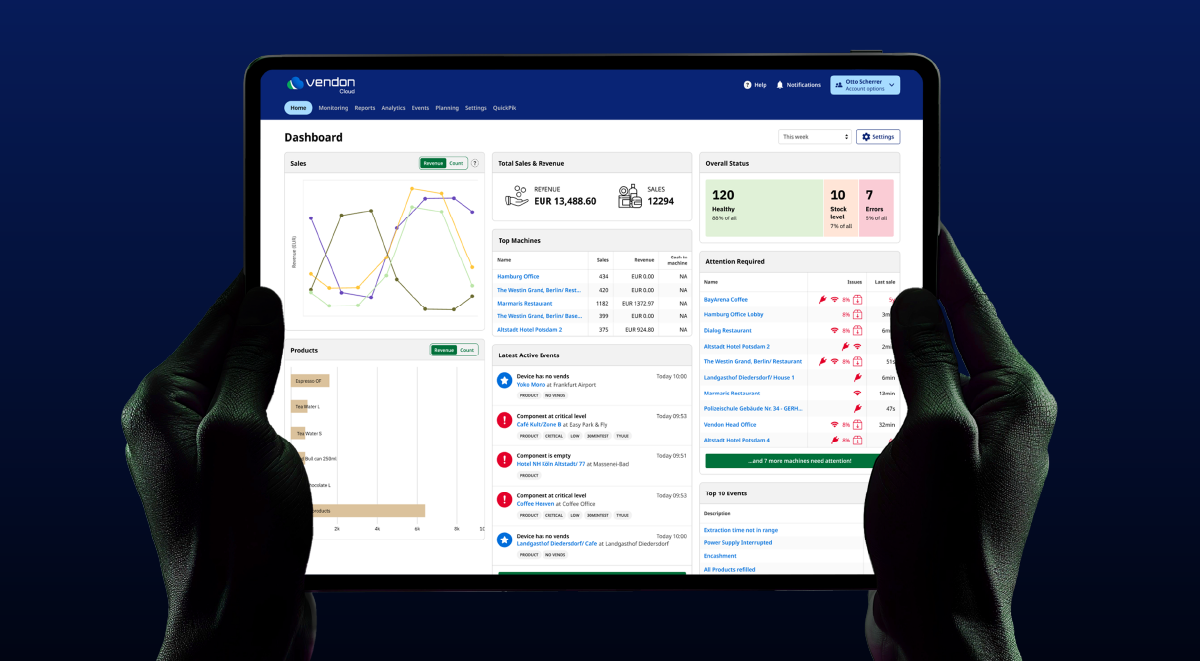
Machine issues are usually checked from the dashboard. It provides an overview of the current situation across the fleet.
The overall status and attention required widgets show common problems such as power loss, network issues, or communication errors. These are typically the first indicators that something is wrong.
Selecting the red section of the overall status widget opens the Monitoring view. From there, machines with active issues can be reviewed individually.
The Map view shows machine locations and their status:
green indicates normal operation
blue shows stock-related issues
red indicates critical errors, such as no power
This view helps identify which locations need attention first.
Tip: If a machine has both stock issues and errors, the error takes priority and the location is shown as red.
Event tags
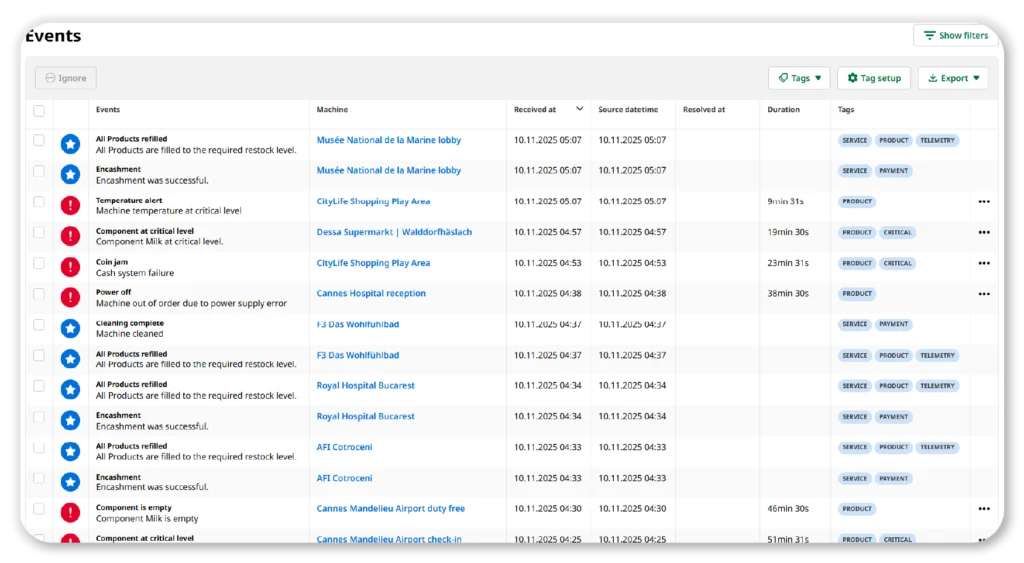
Machines generate a large number of events. Without filters, reviewing them can take unnecessary time.
Each event in Vendon Cloud is assigned a default tag, such as product, payment, or sensor. These tags can be used to filter the event list.
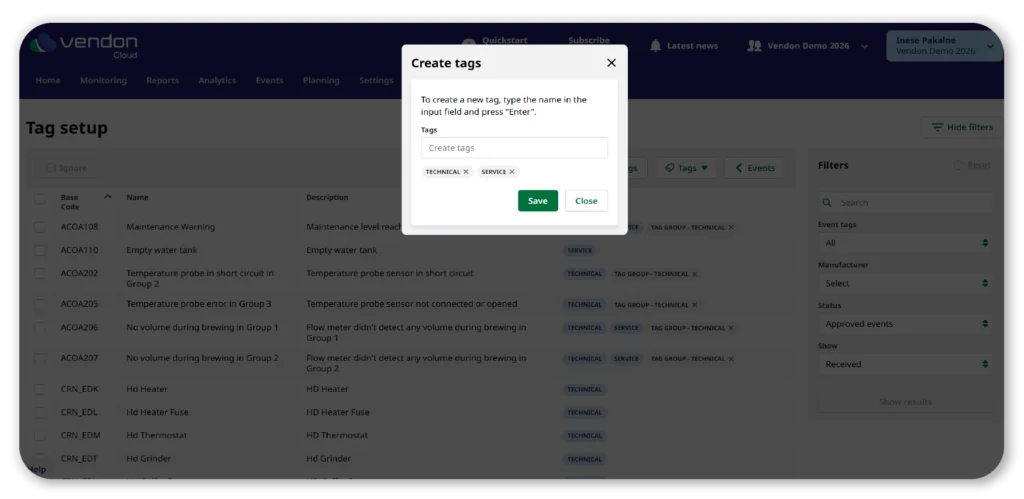
Custom tags can also be created. Some operators use them to group events based on internal processes or service responsibilities, especially when managing different types of machines.
Tip: The Events page keeps the last used filters, so they do not need to be reapplied every time.
Notifications and alerts
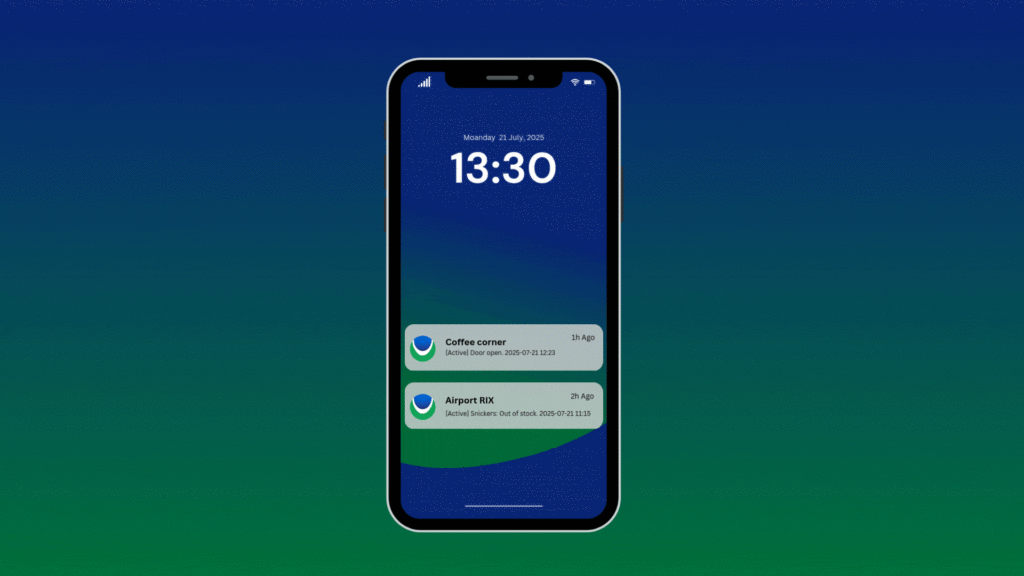
Notifications are used to inform operators when issues occur. Alerts can be received by email, text message, or through the Vendon mobile app.
Alerts are sent close to real time. However, not every event requires action. Short interruptions or temporary errors may resolve on their own.
For this reason, event delays can be configured. A notification is sent only if an event lasts longer than a defined period. This reduces the number of alerts and helps teams focus on relevant issues.
Tip: Different alert channels can be used for different event types, depending on their importance.
Manual event resolution
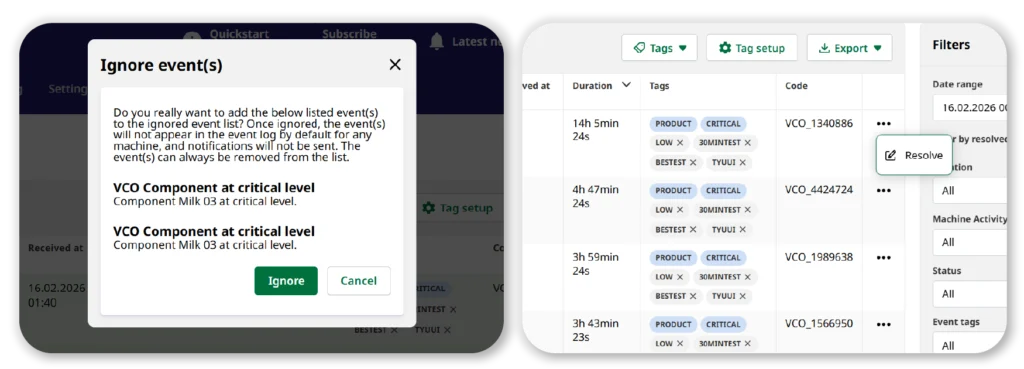
In some cases, an event remains active even though the issue no longer exists. This can affect reporting and lead to unnecessary service visits.
Manual event resolution allows these events to be closed manually. This keeps machine history accurate.
Tip: Events can be resolved from both the event list and the individual machine view.
Ignoring events
Some events are not relevant for a specific operation. Others may be known or not actionable.
Events can be ignored so they no longer appear in the default event list and do not trigger notifications. Ignored events are not deleted and can be reviewed or restored if needed.
Tip: Ignored events apply to all machines within the account.
Route planning
Certain issues require a technician visit. Route planning allows service routes to be created based on active events.
Routes can be filtered by criteria such as event type or how long an event has been active. This helps avoid scheduling visits for issues that do not require on-site work.
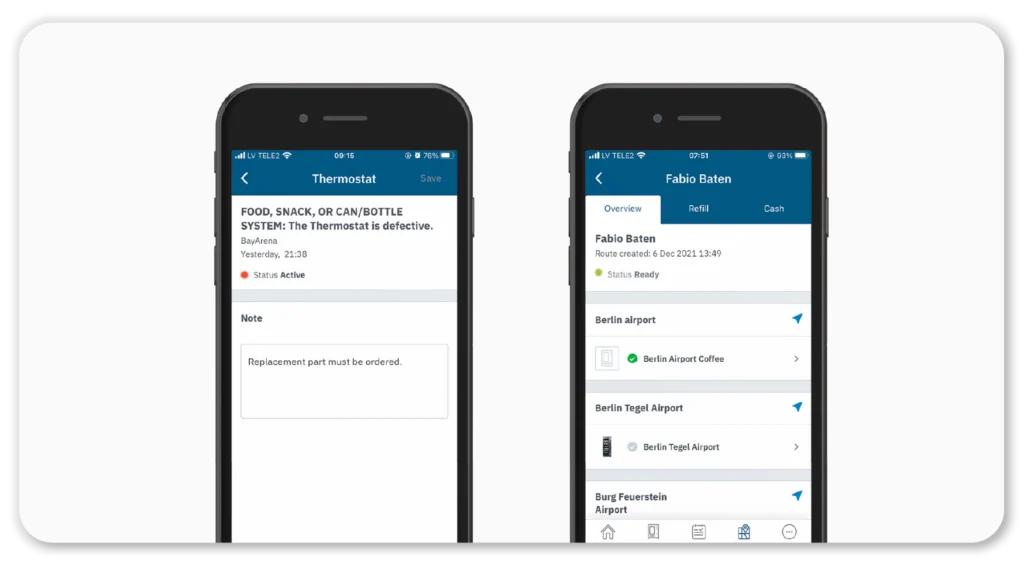
Technicians can add notes to events while on location using the Vendon mobile app. These notes are synced to the Cloud and are visible to the back office.
Tip: Route planning filters can exclude very old events so outdated issues are not included.
Mobile app support
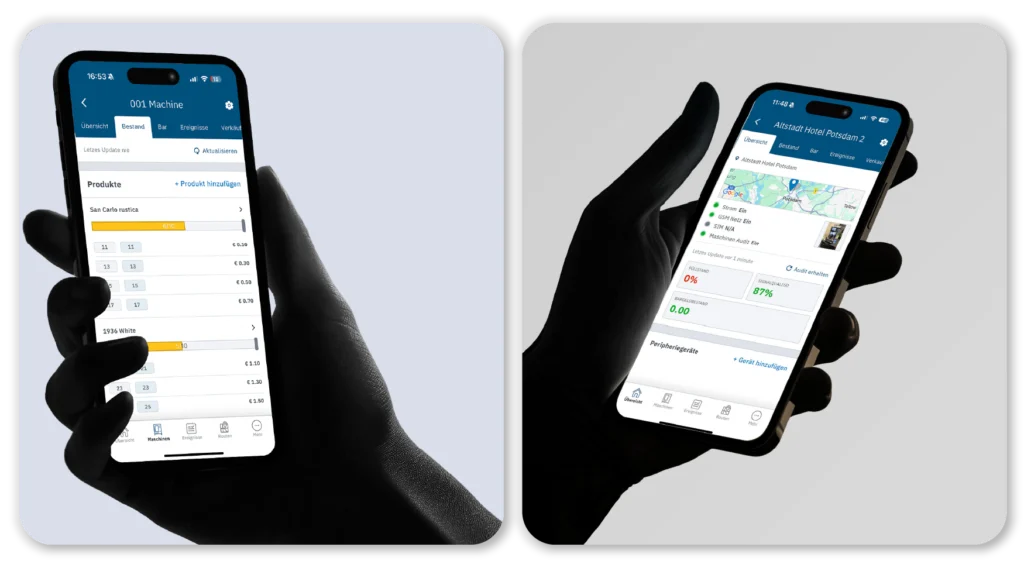
Monitoring is not limited to the desktop platform. The Vendon mobile app provides access to essential information for technicians and managers.
Using the app, users can:
view the fleet dashboard
review machine-level event history
follow assigned routes
add notes during service visits
The app supports multiple languages and is used by operators managing mixed vending and coffee machine fleets.
Start optimizing your coffee or vending business today
Vendon Cloud is a telemetry platform used by operators managing hot drink vending, snack and food vending, and table-top coffee machines. It combines machine monitoring, IoT connectivity, and operational tools in a single system.
For more information, contact grow@vendon.net or your local distributor.
Subscribe and receive the latest updates and news from Vendon along with industry insights and trends.
Join our Newsletter!
Subscribe and receive the latest updates and news from Vendon along with industry insights and trends.
Join our Newsletter!
Subscribe and receive the latest updates and news from Vendon along with industry insights and trends.
Sign up for Vendon Newsletter
Newsletter will contain industry insights, trends, latest Vendon updates and innovations.
Get in touch with us
Please fill out the form below - we will get back to you shortly
Please fill out the form below - we will get back to you shortly
Download FREE e-book!
Learn more about Vendon Contactless Payments: affordable payment solution for Vending & Coffee businesses
Download FREE e-book!
Get valuable tips on how to grow your Vending or Coffee / OCS business.
FREE e-book "5 things OCS operators should be tracking"
FREE e-book "4 Traits of a Profitable Vending Machine"
Download FREE e-book!
Sign up for Vendon Newsletter
Get valuable tips on how to grow your Vending or Coffee / OCS business.
FREE e-book “5 things OCS operators should be tracking”
FREE e-book “4 Traits of a Profitable Vending Machine”
Download FREE e-book!
Get valuable tips on how to grow your Vending business.
FREE e-book "4 Traits of a Profitable Vending Machine"
Download FREE e-book!
Sign up for Vendon Newsletter
Get valuable tips on how to grow your Vending & Coffee/OCS business with QuickPik.
FREE e-book “How adding a Loyalty Platform & Mobile Payment App can boost your Vending & Coffee business”
Download FREE e-book!
Sign up for Vendon Newsletter
Get valuable tips on how to grow your Vending business with Route Planning.
FREE Route Planning e-book “Eliminate unnecessary visits and save on travel costs with Vendon Route Planning”
Sign up for Vendon Newsletter
Newsletter will contain industry insights, trends, latest Vendon updates and innovations.
We use cookies to make this website more convenient and enjoyable, to analyze traffic data and display customized page content and advertising. If you agree to our cookie policy, click “Accept Cookies”.