
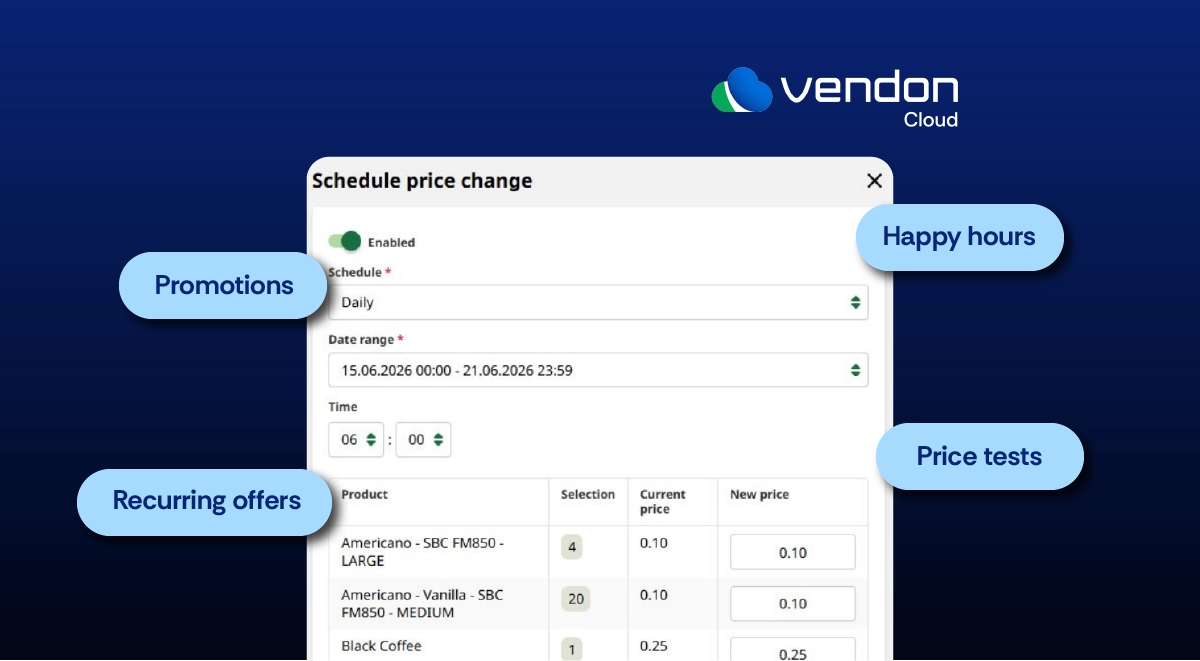
The Vendon Cloud Price Change Scheduler allows operators to prepare price changes for compatible vending and coffee machines and apply them automatically at a defined time.
It can be used for happy hours, temporary promotions, recurring offers and controlled price tests—without visiting each machine or waiting until the exact moment the price should change.
At a glance
- Availability: The feature must be enabled for the client account, and the machine must support remote price changes
- Find it under: Machine Settings → Price Change Scheduler
- Define: Frequency, date range, time, price list and machine selections
- Choose: The new price for each selected product
- Remember: Create a second schedule to restore the regular prices
Here are six things to know before setting up your first price schedule.
1. Check whether the scheduler is available for your machine
Before creating a schedule, confirm that the Price Change Scheduler is visible under the selected machine’s settings.
The section is available when:
- the functionality is enabled for the client account;
- the selected machine supports remote price changes.
Vendon Cloud supports two remote price-writing methods.
Master price writing
Master price writing allows prices to be updated through a vBox2 device using supported master protocols:
- CCI-CSI Master;
- MDB Master;
- Executive/BDV Master.
EVA-DTS price writing
Vendon Cloud can also write prices to a compatible vending machine controller through EVA-DTS price writing.
For this method:
- EVA-DTS price writing must be enabled;
- the user must have permission to Change vBox prices;
- the user must have permission to Push price lists.
When the Price Change Scheduler is not visible, check the client account settings, machine configuration and user permissions before proceeding.
2. Decide what the scheduled price change should achieve
The Price Change Scheduler is useful whenever a price needs to change at a specific time or follow a recurring pattern.
Operators can use it for:
- morning coffee offers;
- lunchtime vending promotions;
- happy hours during quieter periods;
- temporary event pricing;
- short product campaigns;
- price tests on selected machines.
A schedule can run once or repeat on selected days.
Instead of logging in when the offer begins, users can prepare the prices and timing beforehand. Vendon Cloud then applies the selected prices at the defined time.
3. Create the price schedule in Vendon Cloud
Open the relevant machine and go to:
Settings → Price Change Scheduler → New schedule
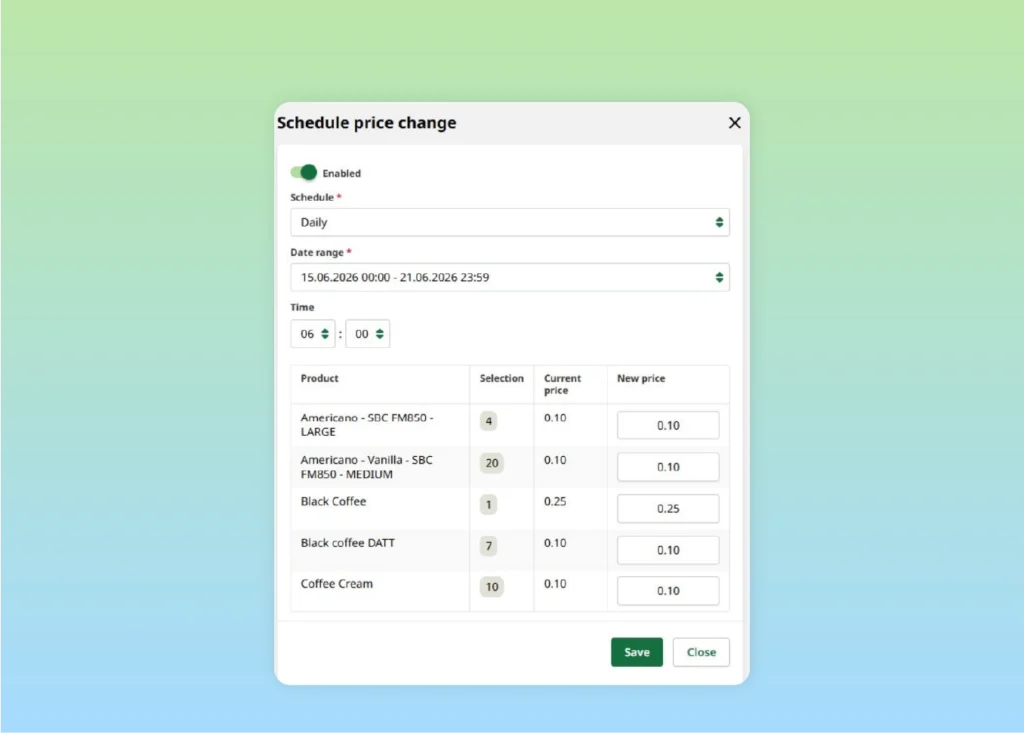
Each schedule includes the following settings:
- Status: Enable or disable the schedule.
- Frequency: Define whether the price change runs once or repeats.
- Date range: Select the period during which the schedule remains active.
- Time: Choose when the new prices should be applied.
- Pricelist: Select the price list to update, if pricelists are used.
- Selections: Choose the products and enter the new price for each one.
Together, these settings define when the price change happens, how often it repeats and which products are affected.
4. Select only the products included in the price change
A scheduled price change does not need to affect the whole machine.
Prices are configured by machine selection, allowing operators to include only the products relevant to the promotion or price test.
For example, you could:
- change selected cold-drink prices while keeping snack prices unchanged;
- include cappuccino and caffè latte while leaving espresso at its regular price;
- test a new price on one vending selection before applying it more widely.
Before activating the schedule, confirm that the selection numbers match the correct products on the machine.
This is particularly important when several machines have similar but not identical product configurations.
5. Create a second schedule to restore regular prices
This is the most important point to remember:
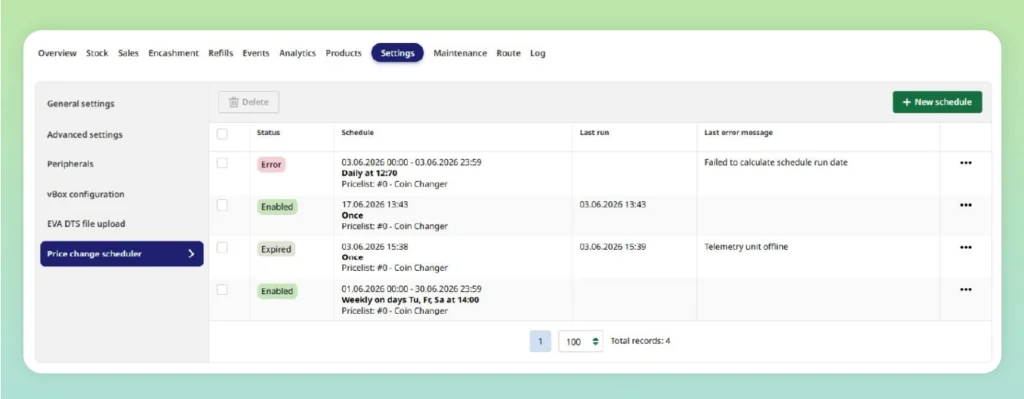
Ending a schedule does not restore the previous prices. Create a second schedule to apply the regular prices when the promotion finishes.
For example, a weekday coffee happy hour from 14:00 to 16:00 requires two schedules.
Schedule 1: apply promotional prices
- Days: Monday to Friday
- Time: 14:00
- Selections: Selected coffee drinks
- Prices: Promotional prices
Schedule 2: restore regular prices
- Days: Monday to Friday
- Time: 16:00
- Selections: The same coffee drinks
- Prices: Regular prices
Both schedules should use the same campaign date range.
Without the second schedule, the promotional prices will remain active after the intended end time.
6. Review and test the complete setup
Before enabling the scheduled price change, check:
- Is the correct machine selected?
- Do the selections match the intended products?
- Are the new prices correct?
- Are the frequency, dates and times correct?
- Has a second schedule been created to restore regular prices?
For a campaign involving several vending or coffee machines, test the complete price-change cycle on one compatible machine first.
Confirm that:
- the new prices are applied at the expected time;
- the correct selections are updated;
- the machine displays the intended prices;
- the second schedule restores the regular values.
Testing on one machine first is a recommended rollout practice rather than a platform requirement. Once the setup has been verified, it can be extended to additional machines or locations.
Frequently asked questions
Can Vendon Cloud change vending machine prices remotely?
Yes. Remote price changes are available when the client account has the functionality enabled and the machine supports remote price writing.
Can the Price Change Scheduler be used for coffee machines?
Yes. It can be used with compatible coffee machines that support remote price changes.
Why can I not see the Price Change Scheduler?
The functionality may not be enabled for the client account, the machine may not support remote price changes, or the required user permissions may not be enabled.
Will regular prices return automatically?
No. A separate schedule must be created to restore the regular prices after the promotion.
Start with one machine
The Price Change Scheduler gives Vendon Cloud users a practical way to prepare temporary and recurring price changes in advance.
Start with one compatible machine, configure both the promotional and return schedules, and verify the complete cycle. Once confirmed, the same setup can be applied more widely across vending or coffee machine operations.