

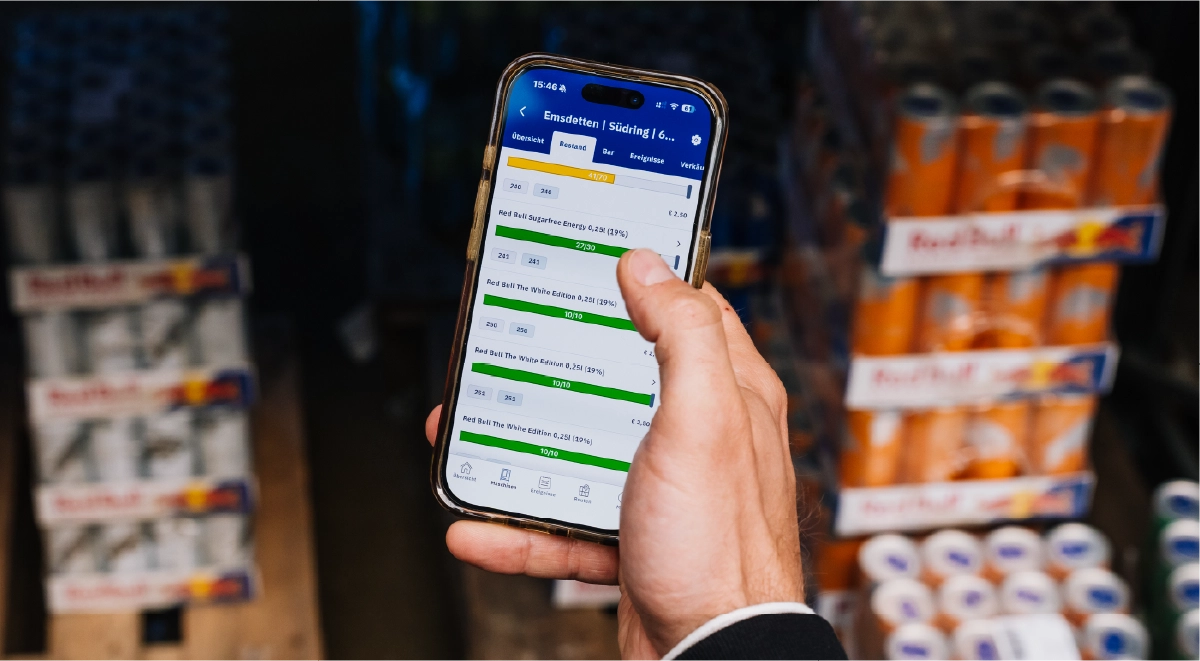
Short answer: Real-time stock control is a telemetry-based approach to vending and coffee machine inventory management. Every connected machine reports its sales and ingredient consumption to a cloud platform. The platform calculates current stock levels, alerts you before a product runs out, and builds refill picklists from actual demand instead of fixed schedules.
In Vendon, a vBox telemetry device sends machine data to Vendon Cloud. Stock levels are then driven by product settings you define once, such as capacity, refill level and alert threshold.
Key takeaways
- Stock accuracy depends on your product settings, not only on the telemetry hardware.
- Not every product needs to be filled to the maximum. Slow movers can be refilled to part of the spiral’s capacity, and the extra stock can go to busier locations.
- Picklists can follow supplier pack sizes, so refillers only get tasks for full packs.
- One critical product can trigger a visit even when the rest of the machine is nearly full.
- Vending products and coffee ingredients (beans, milk, chocolate, cups) are monitored in the same platform.
How does real-time stock control work?
Vending telemetry starts with a vBox device that connects to the machine and sends sales and machine activity to Vendon Cloud. The platform turns that data into a live stock view for every connected machine, so refills can be planned without anyone opening the machine.
How vending stock data flows
- 1vBox connects the machine
- 2vBox sends data to Vendon Cloud
- 3Vendon Cloud translates that data into stock visibility
- 4Operators use it to plan the next refill
How does it work for vending machines?
For vending machines, Vendon Cloud tracks product units in each spiral or selection. When a product is sold, Vendon Cloud automatically updates stock levels. This gives you a live count per spiral, per machine and across the fleet. This live count is the basis of vending stock management: you refill from data instead of from habit.
How does it work for coffee machines?
For coffee machines, Vendon Cloud handles coffee machine ingredient monitoring, tracking consumption rather than product units. Depending on the machine type, this covers beans, milk, chocolate, cups and other consumables.
Which settings control stock accuracy?
This is where most operators either get real value from stock control or end up with alerts they learn to ignore. Each product profile in Vendon Cloud contains the following values:
Product profile settings One spiral, three levels
Example: a 15-bottle spiral for a slow mover, refilled to 10, alert at 3.
| Stock levels | |
|---|---|
| Max. value | Physical capacity of the spiral or container |
| Refill value | The level stock is set to after a refill. It can be lower than the max. value for slow movers, so extra stock goes to busier locations |
| Critical value | The level that triggers a low-stock alert. Set it higher in busy machines so stock lasts while the refiller is on the way |
| Picklist | |
| Refill unit size | Rounds picklist quantities to supplier pack sizes |
| Min. picklist value | How many items must be missing before the product appears on the picklist |
| Route | |
| Critical product | Adds the machine to the visit list whenever this product is low, even if the machine is otherwise full |
You can set these values at product level, and they prefill automatically when the product is added to a machine. You can still override them per machine. With tens or hundreds of machines, this saves setup time on every installation.
What can operators see once machines are connected?
- Low-stock alerts per machine, based on your critical values.
- Fleet-wide stock in the Inventory Report. If you use the cost price and profit module, the report also shows the potential revenue of the stock currently in your machines.
- Dead stock by location, through the Sales Report’s “Show sales by stock” option. This includes products that haven’t sold at all.
- Planogram recommendations from the Shelf Space Analysis, based on past sales.
- Products close to expiry, so they can be moved or discounted before they turn into waste.
- Mobile access in Vendon Mobile, so refillers and technicians can check stock and machine status on site.
How does stock data decide the refill route?
A fixed weekly route treats a machine that sells out by Wednesday the same as one that is still mostly full on Friday. Stock-driven vending route planning reverses this: machines appear on the visit list when they reach a critical value or when a critical product is low. Machines that can wait are left out.
Nestlé Professional’s UK&I Trade Asset Manager describes the result this way: “We know exactly which machines are viable and which aren’t.” For the routing side in detail, see the role of route planning for vending and coffee businesses.
Stock control setup 5 steps for a new fleet
- 1Set max. valuesMatch the real physical capacity of each spiral or container
- 2Lower refill values for slow moversAfter 2–4 weeks of sales data. Don't fill every spiral to the maximum
- 3Match the refill unit sizeUse your supplier pack sizes, so picklists only ask for full packs
- 4Raise critical values in high-traffic machinesAnd mark best-sellers as critical products
- 5Review dead stock monthlyUse "Show sales by stock" and swap non-sellers with the Shelf Space Analysis
What comes next?
Stock visibility is the foundation. In Part 2, we look at what it changes commercially: fewer lost sales from empty spirals, less waste, and better pricing decisions.
How live stock visibility improves sales in vending and coffee
Frequently asked questions
What is real-time stock control in vending?
Real-time stock control uses telemetry data to track product and ingredient levels in each machine remotely. In Vendon, a vBox sends sales data to Vendon Cloud. Stock levels are reset at each refill and reduced with each sale. This produces live stock counts, low-stock alerts and refill picklists without on-site checks.
How accurate is vending telemetry stock data?
Accuracy depends mostly on how the product profiles are configured. Max. values must match the real spiral capacity, and refillers must confirm each refill so levels reset correctly. When these are set up properly, stock counts follow actual sales. Most errors come from wrong capacity values or skipped refill confirmations.
Do I have to fill every product to maximum capacity?
No. In Vendon Cloud, the refill value can be lower than the max. value. For example, a slow-moving product in a 15-bottle spiral can be refilled to 10, and the remaining stock goes to a location where it sells faster. This improves stock throughput and reduces expired products.
How do I stop small, unnecessary refill tasks?
Use the min. picklist value and the refill unit size. The min. picklist value keeps a product off the picklist until a set number of items has sold. The refill unit size rounds quantities to full supplier packs, for example multiples of 8.
Can one product trigger a machine visit?
Yes. Marking a product as a critical product adds the machine to the visit list whenever that product runs low, even if the rest of the machine is well stocked. Use it for best-sellers whose stockouts cost the most sales.
Does Vendon track coffee ingredients as well as vending products?
Yes. Vendon Cloud monitors vending product stock and coffee machine ingredients in one platform. Depending on the machine type, ingredients include beans, milk, chocolate and cups. Components you don’t need to track can be marked as non-refillable, so they generate no alerts.